Spark Session Information
Type spark in a notebook cell and run it. Both Python and Scala kernels render a small HTML block summarizing the current Spark session — it is the _repr_html_ of the SparkSession object. Useful for confirming what your kernel is connected to, especially after attaching or detaching a runtime.
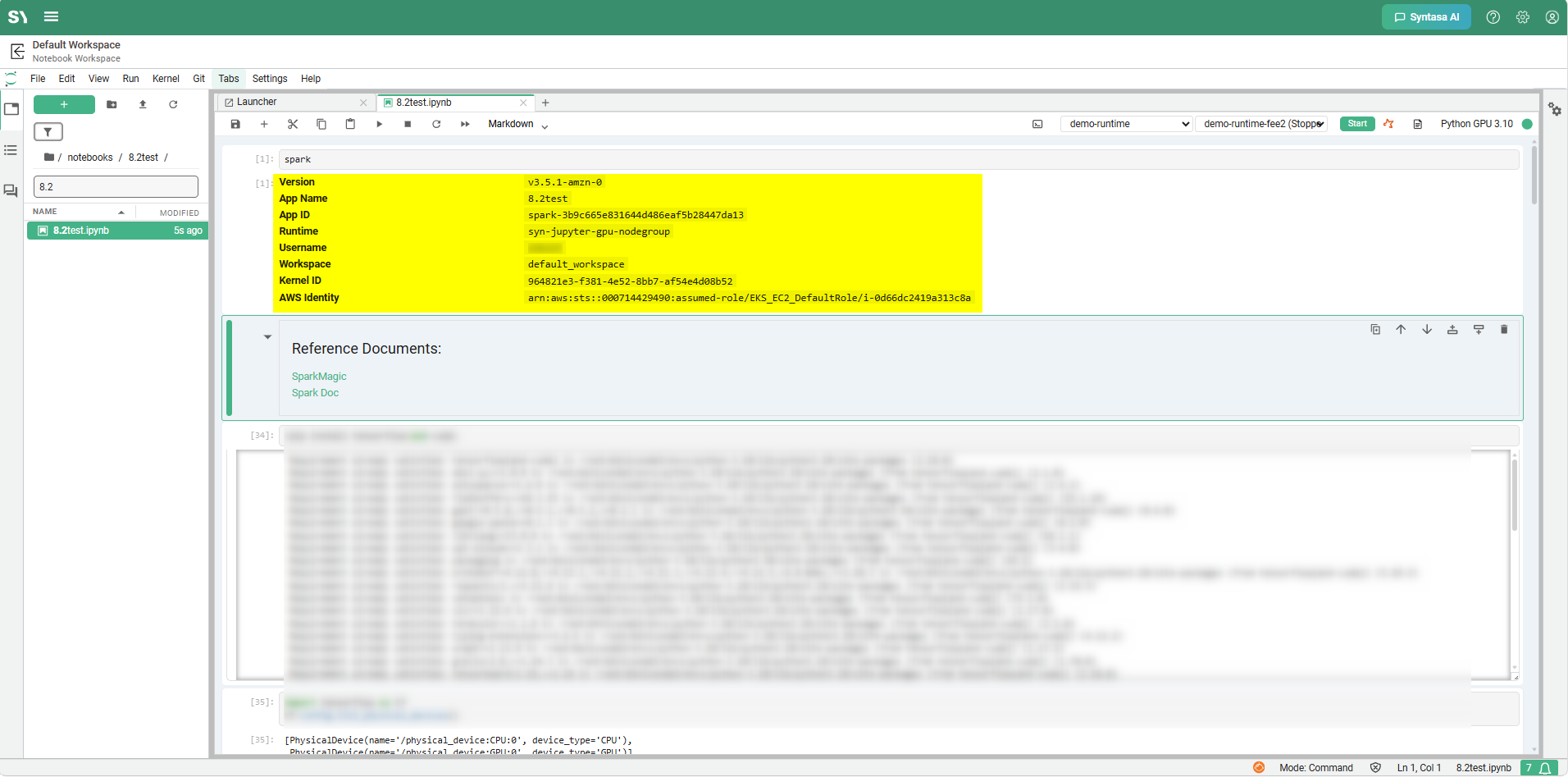
Output of running spark in a cell — the styled HTML block summarizing the current Spark session.
The block shows:
- Version — the Spark version.
- App Name — the Spark application name.
- App ID — the Spark application ID.
- Runtime — the compute pool the driver is on. Shows the runtime name when a runtime template is attached, or a dash on the default kernel.
- Username — the user whose identity this kernel runs as.
- Workspace — the workspace the kernel belongs to.
- Kernel ID — the Jupyter kernel ID. Useful when troubleshooting with an admin.
- AWS Identity — on AWS, the assumed-role ARN that S3 / Glue calls will use. Omitted on non-AWS deployments.
There is nothing to enable. Run spark again any time you want to see the current values.